An employee who changes companies and looks for their old payslips for a mortgage application often faces a concrete problem: where have these documents gone? MyArkevia, a digital safe offered by many employers, keeps these files well beyond the end of the employment contract. However, one must know how to connect, activate their space, and understand what distinguishes this service from simple online storage.
Digital safe or electronic archiving: a distinction that changes the value of your documents
People often confuse digital safes with electronic archiving systems. Both store files, but the legal implications differ. A digital safe like MyArkevia aims for secure preservation and personal access to documents. An electronic archiving system covers a broader scope: complete traceability of the lifecycle, secure deletion, compliance with archiving standards.
Since the end of 2025, the implementing regulation (EU) 2025/2532 has made operational the qualified electronic archiving service resulting from eIDAS 2. This European development strengthens the distinction between a secure storage space and a true archiving with probative value. For an employee, the practical consequence is simple: the payslips stored in MyArkevia retain their legal value, making them enforceable in case of disputes or administrative requests.
When one needs to prove income or justify a period of employment, this probative value makes all the difference compared to a scan stored in a folder on their computer.
MyArkevia Connection: Step-by-step to activate your employee account
The first connection to MyArkevia requires the credentials provided by the employer. One usually finds their employee number and a temporary secret code on the last payslip. To connect to the MyArkevia safe for the first time, you need to enter these credentials on the login page and then create a personal password.
Here are the concrete steps to avoid getting stuck right from the start:
- Go to the MyArkevia portal (the address is usually communicated by the HR department or appears on the payslip).
- Enter the employee number and the temporary secret code, then validate.
- Create a strong personal password (at least twelve characters, a mix of letters, numbers, and symbols) and provide a personal email address for recovery.
- Activate two-factor authentication via SMS or authentication app to enhance account security.
The personal email address is preferred over the work email. When leaving the company, the work email is deactivated, and password recovery becomes impossible if the account is linked to that address.
MyArkevia Connection Issues: Common Blocks on the Ground
The most common case is the employee who never activated their space while employed. Once the contract is finished, the employer is no longer obligated to send an activation code. You then need to contact MyArkevia support directly, providing identity verification documents.
Another recurring situation is the forgotten password after several months without connection. The reset procedure goes through the email address associated with the account. If this address was the work email (now cut off), recovery becomes an administrative journey.
Responses vary on this point, but several sources indicate that the support response time can take several business days. It is better to anticipate: activate your account as soon as you receive the first dematerialized payslip and regularly check that you can connect.
Technical Errors Not to Ignore
An outdated browser or cookie-blocking extensions can prevent connection. MyArkevia uses session cookies for authentication. If the browser blocks them, the login page loops without a clear error message.
It is recommended to test with an updated browser, without ad-blocking extensions, and to clear the cache if the page does not respond.
Security of the MyArkevia Digital Safe after Leaving the Company
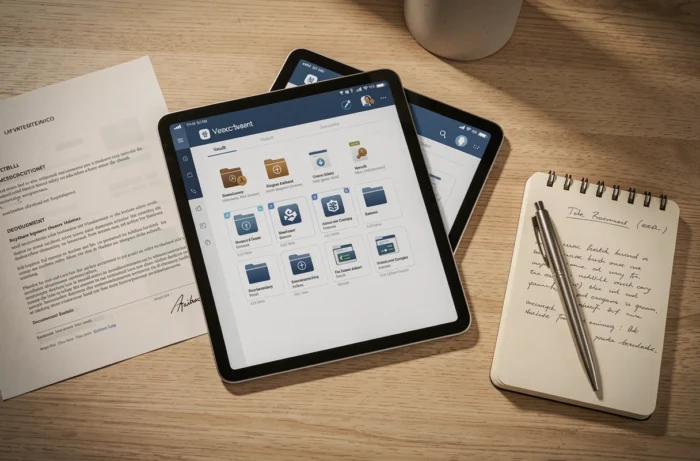
One point that competing guides gloss over: the preservation of documents in MyArkevia is dissociated from the link with the employer. Specifically, when leaving a company, the safe remains active and the archived payslips remain accessible. The employer loses write access, but the files already deposited do not disappear.
This relay logic is designed for long-term archiving. The employer retains documents according to their own legal obligations (limited duration), while the employee’s safe takes over for a much longer period. It is precisely this mechanism that gives MyArkevia its utility beyond the simple dematerialization of payslips.
Two-Factor Authentication and Access Logs
Activating two-factor authentication is not just a recommendation: it is the only way to prevent unauthorized access if the password is compromised. The second factor is through an SMS or a dedicated authentication app.
Access logs allow you to check who connected and when. Regularly reviewing these logs helps to spot any suspicious connections. If a connection appears from an unknown device or location, you should change the password immediately and contact support.
Secure Document Sharing from MyArkevia
When a credit institution or administration requests proof, you can share a document from MyArkevia without sending it as an email attachment. The platform offers timed links with expiration dates, which limits the exposure of the file.
This sharing method has a concrete advantage: the recipient accesses the document for a defined period, after which the link becomes inactive. No copies lingering in an inbox, no files stored on a third-party server without control.
For a loan application or a retirement request, this system avoids multiplying copies of payslips on unsecured channels. You maintain control over the dissemination of your personal data, in accordance with GDPR principles.
Managing your HR documents on MyArkevia mainly requires diligence at the time of activation. A properly configured account from the start, with a personal email address and two-factor authentication, avoids the vast majority of blocks. The digital safe does not replace vigilance, but it offers a preservation framework that neither a hard drive nor a binder can guarantee over time.