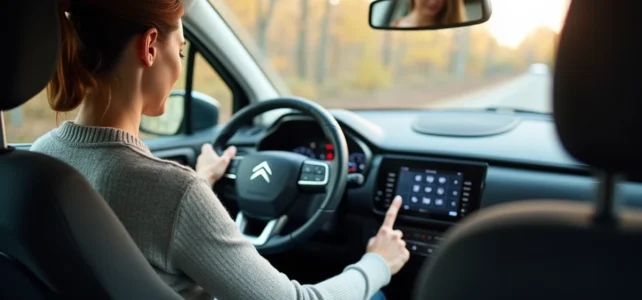
We get into our Citroën C3, place the phone on the passenger seat, and the question quickly arises: how to stream music or make a wireless call from the car radio? The answer mainly depends on the vehicle’s generation. In recent C3 models (from 2024, YOU trim and above), Bluetooth is standard. In older models, the pairing procedure or the need for additional equipment changes the game.
Bluetooth on Citroën C3: what your car radio can (or cannot) do
Before looking for a pairing tutorial, we check one point that many owners discover too late: not all C3 car radios manage Bluetooth. C3s produced between 2002 and 2013 (first and second generation) often come with a basic car radio, without a Bluetooth module. The “phone” button on the dashboard or steering wheel simply does not exist.
On these models, connecting a Bluetooth FM transmitter to the cigarette lighter remains the quickest solution. The transmitter captures the phone’s sound via Bluetooth and retransmits it on an FM frequency that the car radio receives. The audio quality is acceptable for calls, but slightly lacking for music. Feedback on this point varies depending on the transmitter brand and the local radio environment.
For those looking to take it a step further, there are plug and play GPS car radios designed for C3 and C3 Aircross 2017-2024. These systems install without dashboard cutting and retain steering wheel controls. They add audio Bluetooth, Android Auto, and Apple CarPlay, transforming the central screen into a true connected interface.
There is also a comprehensive guide to enable Bluetooth on Citroën C3 that details the steps for each multimedia system.
Pairing a phone with the multimedia system of the C3 2017-2024
On third-generation C3s equipped with a touchscreen, the Bluetooth pairing procedure follows a fairly straightforward logic. Start by activating Bluetooth on the phone (Android or iPhone, it doesn’t matter).
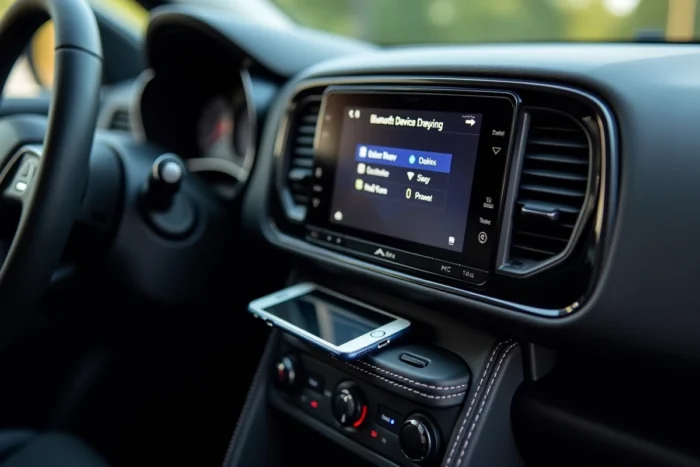
From the dashboard screen, press the button with the phone symbol. The system will then search for available devices nearby. The phone’s name will appear in the list after a few seconds.
- Select the device name on the car screen, then confirm the pairing request that appears simultaneously on the phone
- Accept the directory download if the system offers it (useful for making calls via steering wheel controls)
- Ensure that the audio profile (A2DP) is activated in the phone’s Bluetooth settings to stream music, not just calls
Once the pairing is confirmed, the connection automatically restores each time the vehicle starts, as long as Bluetooth remains activated on the phone.
Common connection issues on C3
The most common case: the phone is paired, but the sound still comes from the smartphone’s speaker. On the car radio, you need to manually select the “Bluetooth” or “Media BT” source. This is not always automatic, especially after a phone update.
If the connection fails completely, removing the pairing from both sides (in the phone’s Bluetooth settings AND in the vehicle’s menu) and then restarting the procedure resolves the issue in the vast majority of cases.
Audio Bluetooth on C3: beyond hands-free kits
Bluetooth in cars is often reduced to simple hands-free calling. On C3s equipped with a recent multimedia system, the function goes further. Bluetooth allows you to stream sound from any phone application to the car speakers: Spotify, Deezer, podcasts, YouTube in the background.
Aftermarket Android car radios installed on C3 2017-2024 further expand the possibilities. With Android Auto or Apple CarPlay (wired or wireless depending on the model), you can access Google Maps or Waze navigation directly on the vehicle’s screen, with voice instructions played through the C3’s speakers.
This difference between “phone Bluetooth” and “media Bluetooth” is worth understanding before investing in equipment. An FM transmitter costing a few euros is sufficient for calls. For audio streaming and integrated navigation, a CarPlay or Android Auto compatible car radio radically changes daily use.
Hands-free regulation: what Bluetooth changes for driving
Using the Bluetooth integrated into the vehicle is not just a matter of comfort. The regulations on phone use while driving clearly distinguish between hands-free mode (integrated Bluetooth, steering wheel controls) and devices worn on the ear. Earbuds and headphones remain prohibited while driving in several countries, even for a simple call.
On a Citroën C3 equipped with Bluetooth, the steering wheel controls allow you to answer, hang up, and adjust the volume without taking your hands off the wheel. This is the only way to use the phone that does not risk a fine.
- The Bluetooth integrated into the vehicle is the hands-free mode recognized by regulations
- Bluetooth earbuds worn on the ear are prohibited in several countries
- The C3’s steering wheel controls manage answering calls, hanging up, and volume
For C3s without factory Bluetooth, investing in a transmitter or compatible car radio is not a luxury but a compliance measure. The cost of a Bluetooth FM transmitter remains minimal compared to a fine for using a phone while driving.
Whether the C3 is a 2009 model or a 2024 model, the Bluetooth connection always ends up working, provided you choose the right method according to the installed car radio. The simplest way is to check for the presence of the phone button on the dashboard or steering wheel controls: if it’s there, pairing takes less than a minute.